
It was 9:14 on a Tuesday in late September of 2025, in a glass-walled conference room on the third floor of a software company off Ponce de Leon in Decatur, when Tasha got the email titled “Your Annual Ergonomics Evaluation - 10am Today.” The HR coordinator who arrived ten minutes early carried a clipboard, a tape measure, and a printed script that began with the same opening line the company used every year. “We want to make sure your workstation supports your long-term health and productivity. Today we will measure your seat height, your monitor distance, your keyboard tray position, and confirm that your current chair meets your needs.” Tasha had been at the company for two years. She had been quietly sliding forward in her assigned Herman Miller Aeron Size B every afternoon for those two years, because the chair, which the company purchased in a 2022 bulk order, was rated for users up to 350 pounds. Tasha weighed 312. She had measured the rating in the chair’s product manual a month after she started, on a slow Friday afternoon when no one was looking, and she had not told anyone what she found.
The HR coordinator’s script reached the chair question at minute six. “Does your current chair meet your needs?” Tasha had practiced the answer that morning in the bathroom mirror in her apartment in East Atlanta. She had practiced three versions. The first version, the silent one, was a simple “Yes, it’s fine,” followed by another year of sliding forward and the slow lumbar ache that had become the background music of every workday after 2 pm. The second version was the disclosure version, where she explained the weight rating, asked for a different chair, and watched the HR coordinator’s pen pause over the clipboard. The third version was the documented version, the one her friend Devon, an occupational therapist with the credentials OT/L who consulted at a hospital system in Birmingham, had walked her through over the phone the previous Saturday. Devon had said the same thing three times during that call. “If you ask without documentation, they will hear it as a preference. If you ask with documentation, they have to hear it as an accommodation.” The third version was the one Tasha used.
This piece is about that third version. It is about the structural truth that the office ergonomics industry, the HR profession that buys office chairs in bulk, and the federal regulatory framework that governs workplace safety have never been designed for plus-size bodies, and the only way to get a workstation that actually fits you is to treat the conversation as a documented accommodation request, not a preference, not a polite ask, not a workplace wellness suggestion. The chairs exist. The legal framework exists. The medical documentation pathway exists. What does not exist, unless you build it yourself, is the script and the timeline and the paperwork that turns those three things into a real chair under your real body on a real Monday morning.
The weight-rating reality (and why the Aeron 350 lb spec is a problem)
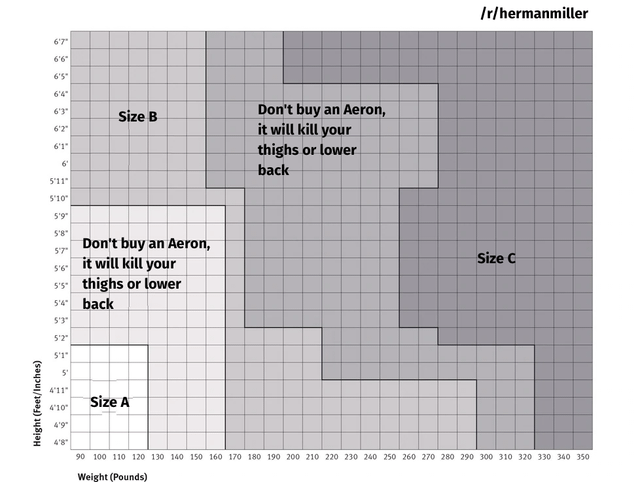
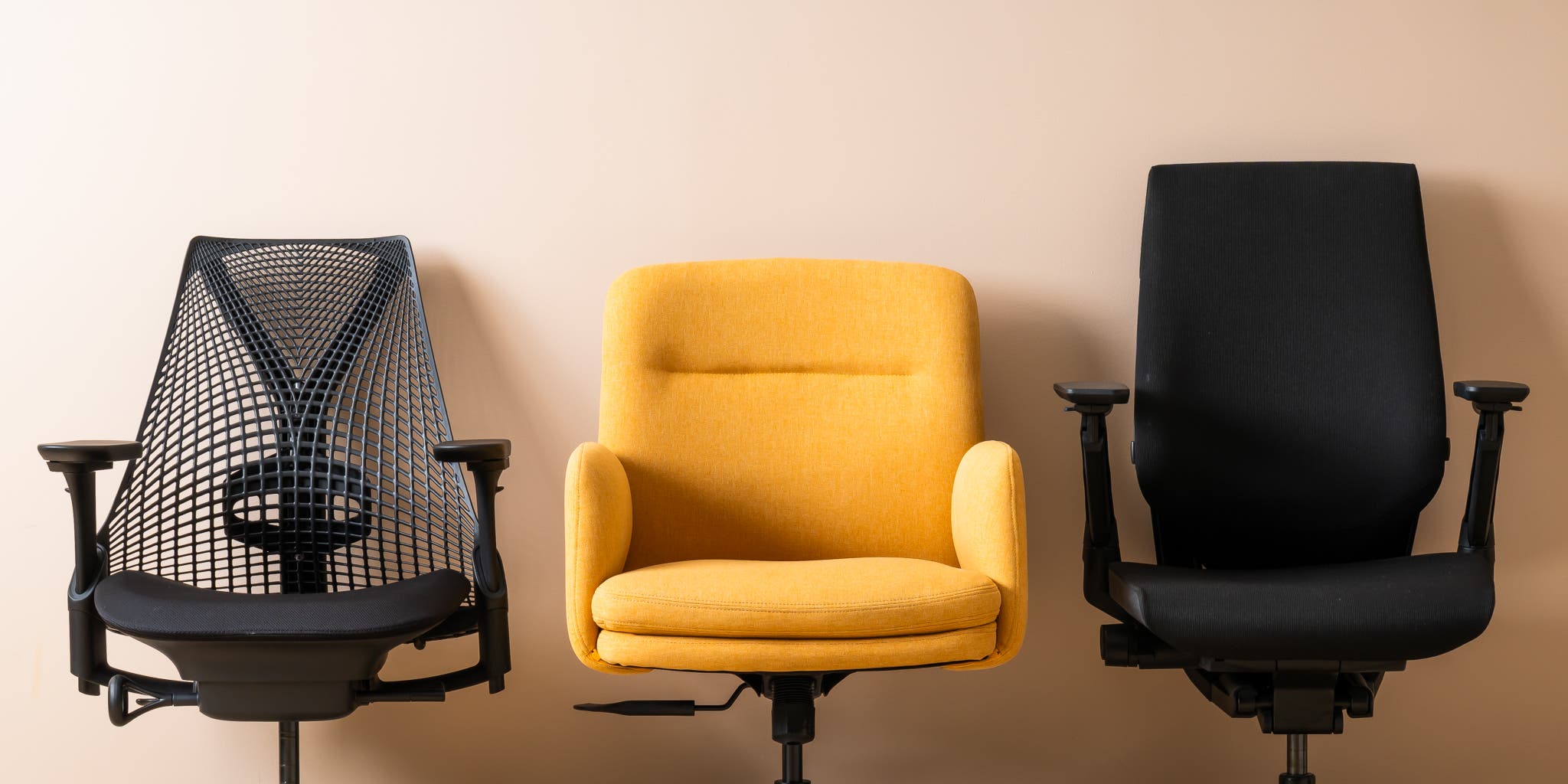
The Herman Miller Aeron is the default ergonomic office chair in American knowledge work. It has been the default since it launched in 1994, and after its 2016 redesign it became even more entrenched as the chair that startups, tech companies, law firms, and design studios order by the dozen when they outfit a new office. The chair comes in three sizes, A, B, and C, sized by user height and weight ranges. Herman Miller’s published specifications, accessible on the company’s product page and in the chair’s user manual, list a maximum user weight of 350 pounds for the Size B and a maximum user weight of 350 pounds for the Size C in its standard configuration. There is a documented option to upgrade the Size C with a heavier-duty cylinder and base that extends the rating, but the upgrade is a special order and is not what arrives in a default bulk purchase.
The 350 pound rating is not arbitrary. It is the weight at which the chair’s pneumatic cylinder, its base spokes, its tilt mechanism, and its frame stress-points are tested for the manufacturer’s warrantied duty cycle, which is typically a twelve-year span at eight hours of use per day. Above the rating, the chair will not immediately collapse, but the warranty is void, the duty cycle shortens, the cylinder loses gas pressure faster, and the frame stress-points accumulate fatigue at an accelerated rate. The 350 number is also the number that fits a population distribution the chair was originally designed for in the early 1990s, when the average American adult weight was meaningfully lower than it is now. According to CDC NHANES data, the average adult American woman in 2017 to 2020 weighed approximately 170 pounds and the average adult American man weighed approximately 200 pounds. The seventy-fifth percentile is meaningfully higher. The ninetieth percentile for adult women begins to brush against 250 pounds. The chair was never built for the upper tail of that distribution, and the upper tail is where a large share of the plus-size workforce sits.
The structural problem with the 350 pound rating, from a plus-size workplace perspective, is that the rating gets quietly elided in the procurement conversation. The HR coordinator orders forty Aerons because Aerons are what knowledge work uses. The procurement officer signs the PO. The chairs arrive. Nobody on the buying side reads page 14 of the manual, where the weight rating sits. The employees who exceed the rating know they exceed the rating, sometimes without ever having opened the manual, because the chair tells them. The seat pan creaks differently. The cylinder sinks faster. The lumbar mesh stretches in a way that does not snap back. The afternoon ache is the chair telling the employee what the manual already says. The employees who notice this almost universally do not raise it, because raising it requires disclosing weight, which is the workplace conversation most plus-size employees have spent a career strategically avoiding.
The cost of not raising it is the cost of working ten years on a chair that was sized for someone else. Lumbar disc compression. Sciatic nerve irritation. Hip pain that compounds over time. The slow erosion of focus and energy that comes from a workstation that fits seventy percent of you. The structural cost is also the bigger one. A workforce that does not raise the issue is a workforce the next procurement cycle does not see, which is why the next bulk order is also forty Aerons. The cycle does not break unless the conversation happens.
The ADA accommodation framework (and the 2014 EEOC ruling)
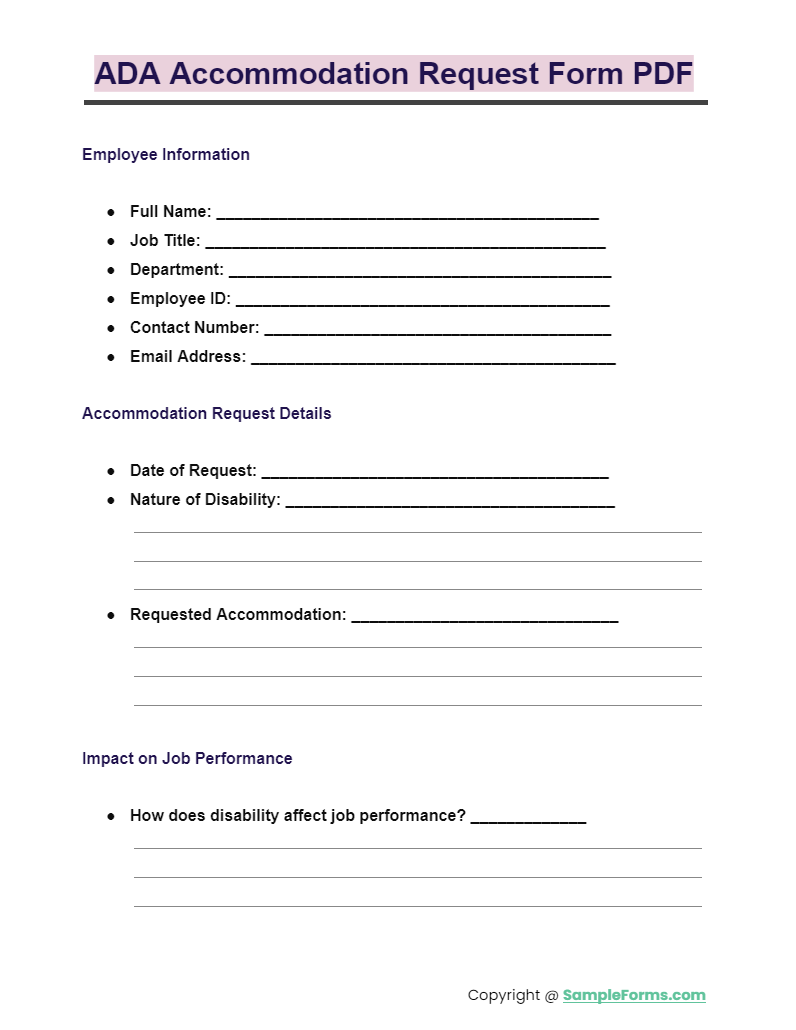
The Americans with Disabilities Act, passed in 1990 and amended substantively in 2008, requires employers with fifteen or more employees to provide reasonable accommodations for qualified employees with a disability, where “disability” is defined as a physical or mental impairment that substantially limits one or more major life activities. The statute does not, on its face, treat body size as a disability. It treats impairments. The case law on whether and when weight-related conditions qualify under the statute has evolved, and the evolution is the part that matters for a plus-size employee asking for an ergonomic accommodation.
The case that opened the door is EEOC v. BAE Systems Tactical Vehicle Systems LP, settled in 2012, with the EEOC’s subsequent guidance through 2014 clarifying the application. In that case, the EEOC alleged that BAE Systems had unlawfully terminated a materials handler in Texas in 2009 because of his weight, which the agency argued constituted a perceived disability under the ADA. BAE Systems agreed to a settlement that included a payment of $55,000 to the affected employee and an injunction against future discrimination. The agency’s public position around the settlement, and the subsequent guidance that clarified its enforcement posture, established that severe obesity (defined for legal purposes as body weight more than one hundred percent over the norm) and weight-related conditions arising from underlying physiological disorders can qualify as a disability under the ADA, and that an employer’s refusal to provide reasonable workplace accommodations on the basis of those conditions can constitute unlawful discrimination.
The legal framework that follows from this is the one a plus-size employee should understand before walking into the HR conversation. Weight itself, in the abstract, is not automatically a covered disability. Weight-related conditions, supported by medical documentation from a qualified provider, can be. Lumbar disc compression, sciatic radiculopathy, hip arthritis, lymphedema, fibromyalgia, knee osteoarthritis, type two diabetes with peripheral neuropathy, and a long list of related musculoskeletal and neurological conditions that affect a substantial share of the plus-size population are all covered under the ADA when properly documented, and an ergonomic workstation accommodation, including a higher-rated chair, a wider seat pan, a standing desk, or a different keyboard tray, is a textbook example of a reasonable accommodation an employer is obligated to engage with through the interactive process the statute requires.
Dr. Glenn Williamson, OT/L, an occupational therapist who has written professionally about workplace accommodations for plus-size and bariatric patients, has framed the documentation question this way in his published guidance for ADA accommodation requests. The medical documentation does not need to use the word “obesity” or to disclose a specific weight. It needs to describe the impairment (the lumbar condition, the radiculopathy, the joint condition), document that it substantially limits a major life activity (sitting for prolonged periods, walking, standing, working), and recommend the specific accommodation (a chair rated for the employee’s body weight with the specific lumbar support requirements, or a sit-stand desk, or a specific keyboard configuration). The employer’s obligation is to engage with the recommendation in good faith. The employer can propose alternatives. The employer cannot ignore the request, cannot delay it indefinitely, and cannot retaliate against the employee for making it.
OSHA, the federal Occupational Safety and Health Administration, sits in an unusual position on workplace ergonomics, and the position matters for the plus-size employee. In November 2000, OSHA issued a final ergonomics standard that would have required employers to evaluate and address ergonomic hazards in the workplace systematically, with specific requirements for chair fit, workstation adjustability, and job design. The standard was rescinded by congressional action in March 2001 under the Congressional Review Act, and OSHA has not issued a replacement final rule in the two and a half decades since. What this means in practical terms is that ergonomics in U.S. workplaces is governed by the General Duty Clause of the OSH Act, which requires employers to provide a workplace free from recognized hazards, and by industry-specific guidance documents that OSHA publishes as non-binding recommendations. There is no federal rule that says “your chair must fit your body.” There is the ADA accommodation framework for individuals with documented impairments, and there is a patchwork of state-level guidance, and there is the General Duty Clause as a backstop.
The implication is the one a plus-size employee needs to internalize. The federal regulatory floor on workplace ergonomics is, for the general population, very low. The federal regulatory floor on ergonomic accommodations for an individual with a documented impairment, under the ADA, is meaningfully higher and is enforceable through the EEOC complaint process. The pathway to a chair that fits is the ADA pathway, not the general workplace safety pathway. Knowing which pathway you are on changes the language you use, the documentation you bring, and the timeline you set.
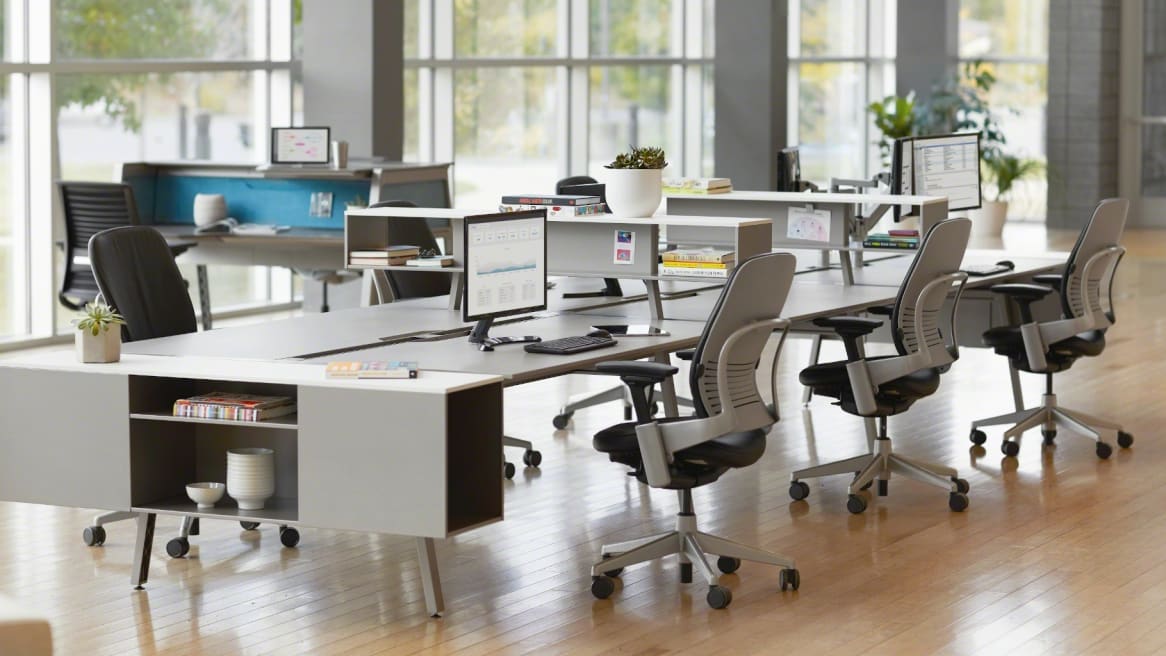
The 4 office chairs above 400 lb rating (Steelcase, ErgoElements, HON, Concept)
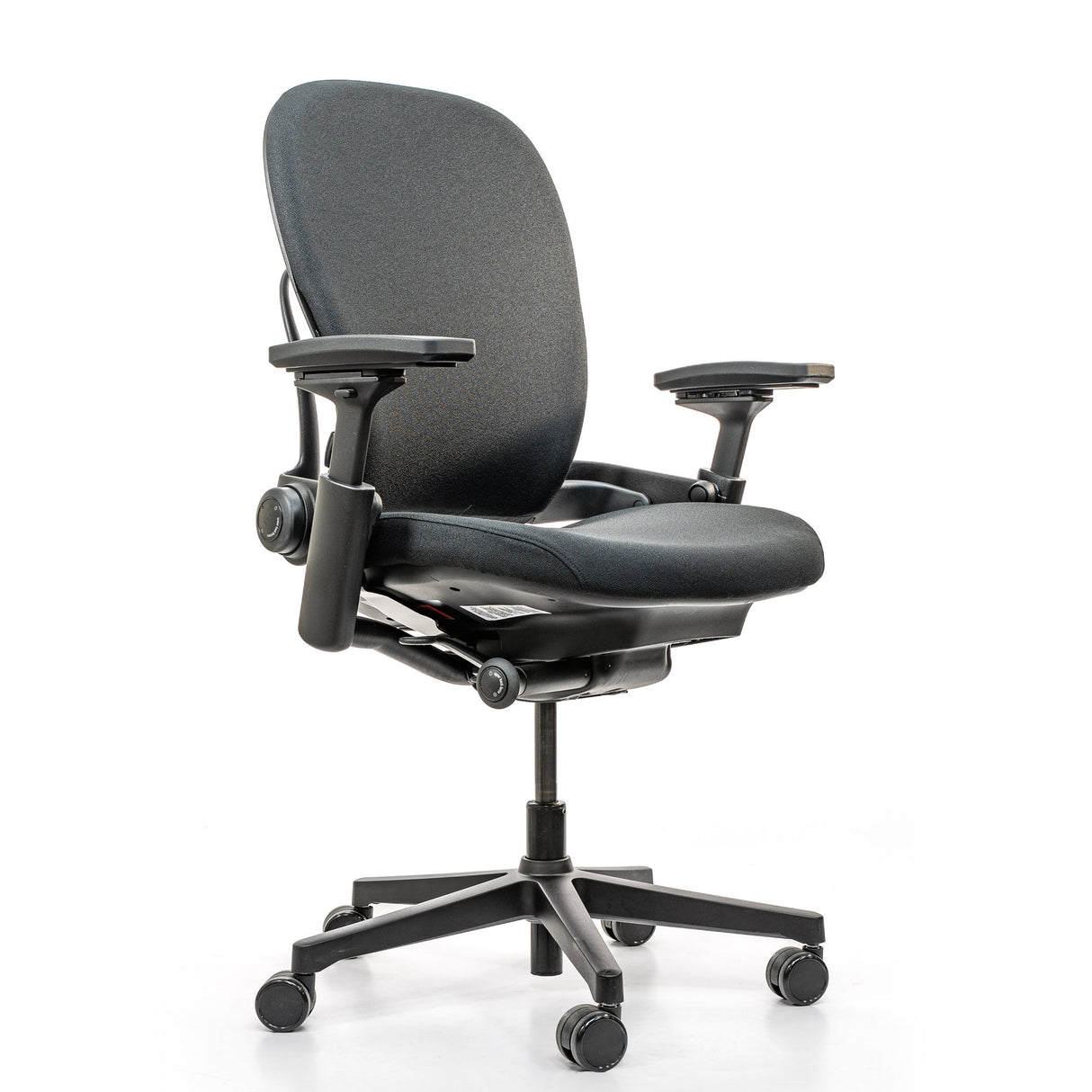
The market for office chairs rated above 400 pounds is real, it is established, and it is almost entirely invisible inside the procurement catalogs that most HR departments use by default. Here are the four chairs a plus-size employee should know by name and weight rating before sitting down with HR, with the specific configurations that matter and the price ranges that the employer’s procurement team will encounter when they go to order.
Steelcase Leap V2 - 400 pound rating, ergonomically credentialed
The Steelcase Leap V2 is the most defensible request a plus-size employee can make in a corporate environment that already buys Steelcase or Herman Miller furniture. The chair is rated for users up to 400 pounds in its standard configuration, which is fifty pounds above the Aeron Size B and Size C standard rating. The chair has a documented record in independent ergonomic research, including studies by the Center for Health Research at the Health Alliance system in Cincinnati, that found measurable reductions in musculoskeletal pain among knowledge workers transitioned from older chairs to the Leap. The seat pan is wider than the Aeron Size B by approximately one inch, the back support adjusts dynamically through a flexing back mechanism, and the armrests adjust on four axes. The price runs roughly $1,200 to $1,800 depending on configuration and the employer’s volume discount, which lands the chair in the same price band as the Aeron and makes it a straight swap inside most procurement cycles. For a plus-size employee in a Steelcase-friendly office, this is the entry-level ask.
The case for the Leap V2 in the HR conversation is the case for an existing-vendor swap. The employer does not need to add a new vendor relationship. The procurement cost is comparable. The ergonomic credentials are documented. The weight rating is fifty pounds higher than the default chair. The friction is low. The Steelcase Amia, the sister chair in the same product family, is also rated to 400 pounds and runs roughly $900 to $1,300, which is a slightly less expensive alternative that delivers the same weight rating with a different mechanism and a slightly less aggressive lumbar profile.
### Steelcase Leap Plus - 500 pound rating, plus-specific design
The Steelcase Leap Plus sits in the next tier up. The chair is rated for users up to 500 pounds, which clears the rating headroom that the standard Leap V2 does not. The seat pan is meaningfully wider than the Aeron Size C, the backrest is taller and wider, the cylinder is heavy-duty, and the base is constructed with reinforced steel spokes. The chair is sold through authorized Steelcase dealers, with pricing typically in the $1,100 to $1,500 range, which lands in the same band as a fully-configured Leap V2. The ergonomic adjustability is the same Leap mechanism re-engineered for a heavier duty cycle, and the seat pan dimensions are dialed for plus bodies in a way the standard Leap is not.
The case for the Leap Plus in the HR conversation is the case for an existing-vendor swap that clears the 500 pound threshold without forcing a new vendor relationship. The HR coordinator does not need to evaluate a new supplier. The counter to any pushback is that the chair fits the documented accommodation in a way the standard Leap V2 does not. For an employee whose body weight is above the 400 pound rating, the standard Leap V2 is not a defensible accommodation. The Leap Plus is.
HON Endorse - 450 pound rating, mid-market procurement-friendly
The HON Endorse is the chair to know if the employer is mid-market, government, or higher-education, where HON is a default vendor through GSA contracts and educational procurement systems. The Endorse is rated for users up to 450 pounds, the chair has a documented ergonomic research record, and the price runs roughly $700 to $1,000 depending on configuration, which is competitive with the Steelcase Amia and meaningfully less expensive than the Leap V2. The seat pan is wider than the Aeron, the backrest is taller, and the chair is built to a duty cycle that supports continuous eight-hour use.
The case for the HON Endorse is the same procurement-friendly case as the Steelcase Leap V2, with a different vendor. If the employer already buys HON, the chair is a straight swap. If the employer buys Herman Miller or Steelcase and is resistant to adding HON to the vendor list, the case shifts to a documented accommodation request, where the employer’s obligation is to engage with the recommended accommodation regardless of vendor preference.
### Concept Seating 3142R1 - 550 pound rating, twenty-four hour duty cycle
Concept Seating’s 3142R1 is one of the heaviest-rated chairs on this list and the chair built for the most demanding use cases. The 3142R1 is rated for users up to 550 pounds, the chair is designed for twenty-four-hour continuous use in dispatch centers, security operations centers, and air traffic control environments, and the construction reflects the industrial duty cycle. The cylinder is a heavy-duty pneumatic certified to 100,000 cycles, the seven-leg base is tested to a 10,000 pound dynamic load, and the seat pan and backrest are wider and deeper than any of the standard office chairs above. The price runs roughly $1,200 to $2,000 depending on upholstery and adjustability options, which lands in the same band as a fully-configured Leap V2. For users above the 550 pound threshold, Concept Seating’s 3156(HR) extends the rating into 800 pound territory.
The case for the Concept Seating 3142R1 is the case for one of the highest weight ratings in the standard office chair market. For an employee whose documented condition requires a chair rated above 500 pounds, the 3142R1 is the answer. The chair is also a defensible request for employees with conditions that require continuous all-day support, including severe lumbar disc disease or post-surgical recovery scenarios, where the duty cycle and the structural rigidity of the chair matter as much as the weight rating itself.
The Humanscale Freedom, a chair sometimes proposed as a plus-size alternative in HR conversations, is worth naming for completeness. The Freedom is rated for users up to 300 pounds in its standard configuration, which is fifty pounds below the Aeron Size B’s rating. The Freedom is not a plus-size chair. It is a smaller-frame ergonomic chair with strong lumbar credentials for users inside its rated range. If HR proposes the Freedom as a “more ergonomic” alternative, the answer is that the chair’s weight rating is below the existing default and is not a plus-size accommodation. The four chairs above are.
The medical documentation case (when to involve your doctor)
The accommodation request that succeeds is the documented one, and the documentation that succeeds is the documentation that frames the request in clinical terms a benefits administrator or HR generalist can transmit unchanged to legal review. The employee’s job, before walking into the HR meeting, is to assemble the documentation in the form an ADA accommodation request expects.
The first conversation is with the primary care provider, or with a specialist if the relevant impairment is already under specialist care. The conversation should name the specific physical impairment (the lumbar condition, the knee condition, the hip condition, the lymphedema, the neurological condition), the specific limitation it imposes on a major life activity (sitting for prolonged periods, walking long distances, standing for the workday), and the specific accommodation the provider believes would meaningfully reduce the limitation in a work context. The provider does not need to specify the brand of chair. The provider should specify the functional requirements - a chair rated for the employee’s body weight, with adjustable lumbar support, with a seat pan that accommodates the employee’s hip width, with an adjustable height range appropriate for the employee’s leg length - and should provide the recommendation on the provider’s professional letterhead, signed and dated.
Dr. Margy Squires, CPE, a board-certified professional ergonomist who has written extensively about workplace ergonomic assessments, has framed the provider letter as the single most determinative document in the accommodation conversation. The letter establishes the impairment, it establishes the limitation, and it establishes the functional requirement. The employer’s HR or benefits team takes the letter and is now operating inside the ADA interactive process, which has specific procedural obligations and a clear EEOC enforcement record. Without the letter, the conversation is a preference conversation. With the letter, the conversation is an accommodation conversation. The same chair, the same employee, the same office. The legal weight of the request is entirely different.
The conversation with the provider has a secondary purpose, which is to establish a clinical record that supports the accommodation over time. ADA accommodation requests are not one-time documents. If the employer relocates, restructures, or proposes to revoke the accommodation, the medical record from the provider becomes the basis for re-asserting the request. Employees who skip the documentation step in year one frequently find themselves rebuilding the record from scratch in year three under more difficult circumstances. The cleaner the documentation at the start, the more durable the accommodation across the career.
The cost question is the next one. The provider visit, the documentation letter, and any required follow-up assessments cost something. For employees with employer-sponsored health insurance, the provider visit is typically covered under preventive or primary care benefits, and the documentation letter is generally a small additional fee, often $25 to $75. For employees without insurance or with high-deductible plans, community health centers, federally qualified health centers, and sliding-scale clinics will perform the assessment and write the letter for a meaningfully lower out-of-pocket cost. The accommodation request itself, once the documentation is in hand, does not require a lawyer, does not require a paid advocate, and does not require any further out-of-pocket cost from the employee.

The HR conversation script (the 5-sentence opener)
The conversation that opens the accommodation process has a specific shape, and the shape is what determines whether the conversation proceeds through the interactive process the ADA requires or stalls in the wellness-conversation lane HR departments default to. The five-sentence opener below is the structure Tasha used in that 9:14 conference room in Decatur, and it is the structure that survives the legal review the HR team will conduct after the meeting ends.
Sentence one. “I would like to make a request for a reasonable accommodation under the ADA related to my workstation.” This sentence does the work of converting the conversation from a preference conversation to an accommodation conversation. The phrase “reasonable accommodation under the ADA” triggers the HR team’s procedural obligation to engage in the interactive process. The employee has not disclosed a specific condition, has not disclosed a weight, and has not asked for a specific product. The employee has invoked a statute.
Sentence two. “I have documentation from my healthcare provider that I will share with the benefits team or the HR generalist who handles ADA requests at this company.” This sentence establishes that the documentation exists and signals that the employee has done the preparatory work. It also moves the conversation from the wellness-focused HR coordinator, who is not the right counterparty for an ADA request, to the benefits or compliance counterparty who is. Most companies of any size have a designated ADA contact, and most companies do not advertise who that contact is. The sentence forces the routing.
Sentence three. “The accommodation my provider has recommended is a workstation chair appropriate for my body, with the specific functional requirements outlined in the documentation.” This sentence is intentionally non-specific about the chair model. It defers the product conversation to the documentation itself, where the functional requirements are written in clinical language. The employee is not asking for a specific brand. The employee is asking the employer to fulfill the functional requirements the provider has identified.
Sentence four. “I am also open to discussing related workstation accommodations, including adjustments to the desk, keyboard, monitor, and any other equipment that supports the same condition.” This sentence is the future-proofing sentence. The chair is the entry point. The standing desk, the keyboard tray, the monitor arm, and any related equipment are the follow-on requests. By naming them upfront, the employee establishes that the accommodation is not a single product but a workstation, which is the correct frame for the interactive process and which prevents the employer from limiting the conversation to a one-time chair purchase.
Sentence five. “What is the next step in the interactive process at this company, and what is the timeline I can expect?” This sentence forces the procedural answer. The interactive process is the employer’s obligation, not the employee’s. The employer is supposed to engage with the request, propose accommodations, evaluate alternatives, and respond within a reasonable timeframe. By asking the question directly, the employee establishes a procedural record that becomes the basis for any subsequent escalation if the timeline drifts. The HR coordinator’s answer to this question, written down by the employee that afternoon, becomes the first entry in the employee’s accommodation file.
The five sentences fit on a single index card. The employee should bring the index card to the meeting, refer to it openly, and email a written summary of the conversation to the HR coordinator within twenty-four hours of the meeting. The email is the second entry in the file. The provider letter is the third. The employer’s written response is the fourth. By the end of week one, the employee has a documented record that establishes the request, the documentation, the conversation, and the timeline. The record is what carries the accommodation through procurement, through approval, through delivery, and through any subsequent personnel changes on the HR side.
Standing desk and the height-adjustment math
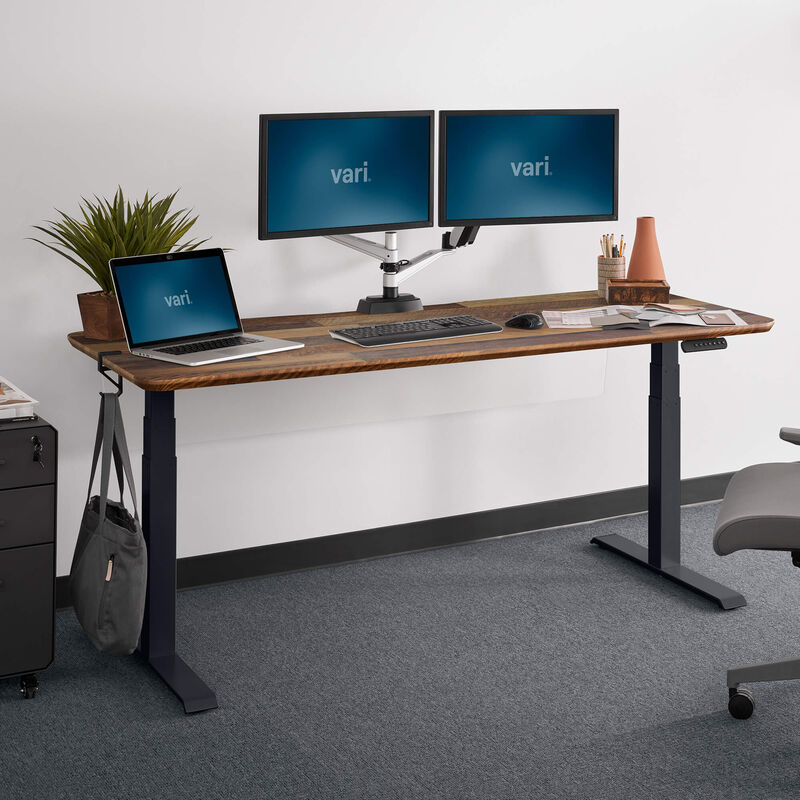
The standing desk is the second accommodation, and the math on a standing desk is where most plus-size employees get the configuration wrong. The default sit-stand desk that most companies buy in bulk is the Uplift V2 or the Vari Electric Standing Desk, both of which have an adjustment range that runs from roughly 25 inches at the lowest setting to roughly 51 inches at the highest setting. For an employee of average height, this range covers both seated and standing positions comfortably. For a plus-size employee, the relevant question is not the seated math (which is the same as for any seated worker) but the standing math.
Ergonomic standing-desk guidance, published by the Mayo Clinic and by the Cornell University Ergonomics Web reference, recommends that the standing-position desk height align with the employee’s elbow height when the employee is standing in a relaxed posture, with the upper arms hanging straight down and the forearms parallel to the floor. For a plus-size employee, the relevant variable is not body weight but standing height combined with elbow height, which can vary meaningfully from the population-average tables the desk manufacturers use to set adjustment ranges. The Uplift V2’s 51-inch maximum height accommodates most users up to roughly six feet two inches tall in a standing position. For a taller plus-size employee, or for an employee whose elbow height runs higher than the population average because of body composition rather than height, the 51-inch maximum may not provide enough adjustability for a properly aligned standing posture.
The solution is to specify the desk in the accommodation request, not to accept the default. The Uplift V2 with the C-frame configuration extends to a 50.5-inch maximum. The Uplift V2 with the V2-Commercial frame extends to a 51-inch maximum. The Uplift V2-Commercial with the wide range option extends to a 53-inch maximum. The Vari ProDesk Electric extends to roughly 50 inches at the maximum. For an employee who needs more than 51 inches at standing, the Jarvis Frame from Fully extends to 52.5 inches, and the Updesk Pro extends to 53 inches. The two-inch differences sound trivial. For a plus-size employee whose elbow height runs above the manufacturer’s design target, the two inches are the difference between an aligned standing posture and a forward-lean that compounds shoulder and neck strain across the workday.
The keyboard tray is the under-discussed component of the standing desk math. A standing desk with a fixed keyboard surface is a desk that forces the wrist into a flexed or extended position whenever the desk height is even slightly off the user’s elbow height. A standing desk with a programmable keyboard tray that adjusts independently of the monitor surface solves the geometry problem. For a plus-size employee, where the body proportions may not match the manufacturer’s reference user, the independent keyboard tray is the configuration that makes the desk usable. The Humanscale 6G keyboard tray, the Workrite Banana Board, and the Knape and Vogt keyboard arm are the three established models. The accommodation request should specify a keyboard tray with independent adjustability as part of the desk configuration, not as a separate purchase.
Keyboard, mouse, and monitor ergonomics at plus body proportions

The ergonomic configuration of the keyboard, mouse, and monitor is the part of the workstation that the standard ergonomic-assessment templates handle reasonably well for an average-sized user and handle quite poorly for a plus-sized user. The geometry that the templates assume - upper arms hanging straight down from the shoulder, elbows at the user’s side, forearms parallel to the floor, wrists straight, shoulders relaxed - depends on the user’s torso width matching the chair’s seat-pan width, which depends on the chair being the right size for the body. When the chair is too narrow, as the Aeron Size B frequently is for a plus-size user, the upper arms cannot hang straight down. They are pushed outward by the chair’s armrests, which forces the shoulders into a slightly elevated position, which sends the keyboard and mouse use into a chronic shoulder-strain pattern that the worker often experiences as upper back pain.
The fix is not a different keyboard. The fix is a wider chair that allows the upper arms to hang in the position the standard ergonomic geometry assumes. Once the chair is right, the keyboard and mouse choices follow the standard recommendations. A split keyboard, such as the Microsoft Sculpt Ergonomic Keyboard or the Kinesis Freestyle2, allows each hand to position naturally without forcing the wrists into a pronated angle. A vertical mouse, such as the Logitech MX Vertical or the Anker Vertical Ergonomic Mouse, reduces the forearm pronation that contributes to repetitive strain. A trackball mouse, such as the Kensington Expert Mouse, eliminates the wrist-twisting motion entirely. The choices among these are personal-preference choices within the ergonomic frame, not separate plus-size considerations.
The monitor configuration is where the plus-size proportions matter again. The standard ergonomic recommendation is that the top of the monitor sit at or slightly below the user’s eye height when the user is sitting in the chair in a neutral posture, with the monitor at roughly arm’s length distance. The eye height of a seated user varies with the user’s seated torso length, which is the distance from the seat pan to the eye. For a plus-size user with a wider hip and a deeper seat pan, the seated torso length can run different from the manufacturer’s reference user, and the monitor stand or arm needs the adjustability to accommodate. A monitor arm with a wide vertical range, such as the Humanscale M2 or the Ergotron LX, is the right choice. A fixed monitor stand at the manufacturer’s default height is the wrong choice.
The second monitor, where the worker uses one, sits on the same arm or a parallel arm at the same eye height. The temptation to put a second monitor on a stand at a different height is the temptation to introduce a chronic neck-rotation pattern that compounds across the workday. The accommodation request should specify dual monitor arms with parallel adjustability if the worker uses a dual-monitor setup, which is the configuration that supports an aligned posture for both screens.
The work-from-home advantage (and how to claim it)

Work-from-home is the structural accommodation that solves the problem the corporate procurement system cannot solve quickly. When the worker is sitting in a chair at home, the chair is the worker’s chair, the keyboard is the worker’s keyboard, the desk is the worker’s desk, and the geometry can be configured for the worker’s body without negotiating through a procurement cycle. For a plus-size employee who has the option of full or partial work-from-home, claiming and structuring that option is the fastest path to an ergonomically sound workstation.
The claim is not a request for the employer to buy the worker’s home equipment, although a growing share of employers do offer a home-office stipend that the worker can apply to ergonomic furniture. The claim is a request to formalize the work-from-home arrangement so that the worker can invest in their own home setup with confidence that the arrangement will not be revoked mid-investment. A worker who buys a $1,200 ergonomic chair for the home office and is then told to return to the office full-time has spent $1,200 and is back to the original problem. A worker whose work-from-home arrangement is documented as a written, signed agreement with the employer, with a defined scope and a defined notice period before any change, has the predictability to invest in the home setup as a long-term workstation.
The accommodation framing for work-from-home, when the worker has a documented condition, is a continuation of the ADA conversation. The same provider letter that supports the chair accommodation can support a work-from-home accommodation when the condition makes commuting, prolonged sitting in a non-adjustable chair, or office-environment constraints a meaningful limitation. The employer’s interactive-process obligation extends to the work location, not only to the workstation equipment. Many plus-size employees discover, in the course of the chair conversation, that the more durable accommodation is the work-from-home one, and the chair conversation becomes the lever that opens the work-from-home conversation.
The home-office stipend, where the employer offers one, runs typically in the range of $500 to $1,500 as a one-time onboarding allowance, with some employers offering annual refresh allowances in the $200 to $500 range. The stipend is taxable income unless it is administered as an accountable plan with documented business expenses, which is a detail the employer’s payroll team handles but which the worker should understand. The stipend is rarely enough to buy a high-end chair on its own. Combined with the worker’s own investment and any partial reimbursement the employer offers, the stipend is the meaningful seed for a workstation the worker actually controls.
When to escalate (and the 90-day timeline)
The interactive process is supposed to move on a reasonable timeline. The EEOC’s enforcement guidance does not specify a number of days, because reasonable depends on the complexity of the request and the employer’s resources, but the case law and the agency’s published guidance treat anything past ninety days, in the absence of an explicit explanation from the employer, as presumptively unreasonable for a straightforward equipment accommodation. The ninety-day timeline is the working benchmark a plus-size employee should hold in mind, and the timeline is the basis for the escalation process if the employer’s response is slower.
Days one through fourteen are the conversation phase. The five-sentence opener, the documented summary email, the provider letter, and the employer’s written acknowledgment of the request all sit in this window. By the end of week two, the employee should have a written confirmation from the employer that the request has been received and is in the interactive process. If the confirmation has not arrived by day fourteen, the employee should send a follow-up email referencing the original conversation and asking for the confirmation in writing.
Days fifteen through forty-five are the proposal phase. The employer’s HR or benefits team should be in active conversation with the employee about specific accommodations, costs, and timelines. The employee should expect a written proposal, in the form of a specific chair model, a specific desk model, a specific keyboard configuration, with a procurement timeline, by day forty-five. If the proposal is the wrong chair (the Humanscale Freedom, the Aeron Size C in its standard configuration, anything rated below the documented requirement), the employee should respond in writing with the specific reason the proposed accommodation does not meet the functional requirements in the provider letter, and should request a revised proposal.
Days forty-six through seventy-five are the procurement phase. The accommodation has been agreed in writing, the procurement order has been placed with the vendor, and the equipment is in transit. The employee should expect specific delivery and installation dates, and should keep the written record of those dates as the procurement timeline lands.
Days seventy-six through ninety are the installation phase. The chair arrives, the desk arrives, the keyboard arrives, the installation is scheduled, and the worker is sitting in the new setup. If the ninety-day window closes without the accommodation in place, and the employer has not provided an explicit and reasonable explanation for the delay (a vendor backorder, a building access constraint, a procurement-cycle dependency that has been documented), the employee has the basis for an internal escalation to the company’s compliance or legal team.
The internal escalation, before any external complaint, is the right next step. The escalation is a written summary of the request, the documentation, the conversations to date, the agreed accommodations, and the missed timeline, sent to the company’s designated ADA compliance officer or to the head of human resources if no compliance officer is designated. Most internal escalations resolve the timeline question. The handful that do not resolve through internal escalation become the basis for an EEOC charge, which is filed within 180 days of the discriminatory act and which the EEOC will investigate or refer to the appropriate state agency. The vast majority of plus-size workstation accommodation requests never reach the EEOC. They resolve in the interactive process. The ninety-day timeline is what keeps the interactive process accountable.
The 4-move checklist for this quarter

The article ends, as Kira’s columns always do, with the four concrete moves for the next ninety days. The moves are sequenced. Each one depends on the one before it. None of them require waiting for the employer to act first.
Move one. This week. Read the user manual for your current office chair and document the weight rating, the seat pan width, the cylinder rating, and the duty cycle. Save the page reference in a personal file. If you do not know how to find the manual, the model name is on a label under the seat pan or on the base of the chair, and the manual is available on the manufacturer’s website. The documentation is for your file, not the employer’s. Knowing the specific numbers your current setup is rated for is the foundation for every subsequent conversation.
Move two. Next two weeks. Schedule a visit with your primary care provider or your relevant specialist and request a documentation letter for a workplace ADA accommodation, framed in clinical terms with the specific impairment, the limitation on a major life activity, and the functional requirements for the workstation. Bring a written request and the relevant ergonomic guidance to the appointment so that the provider has the language available to use. If your provider is unfamiliar with the workplace accommodation process, the EEOC’s published guidance and the Job Accommodation Network’s resource library both have provider-facing template letters that can be shared.
Move three. Days twenty-two through thirty. Schedule the conversation with HR using the five-sentence opener, bring the provider letter, send the written summary email within twenty-four hours, and request the employer’s written response within fourteen days. Open a personal file with the date-stamped documents that come out of the meeting. The file is the procedural record.
Move four. Days thirty through ninety. Run the interactive process to its conclusion. Track the timeline against the ninety-day benchmark. Escalate internally if the timeline drifts past day ninety without a documented explanation. Hold the position. The chairs exist, the framework exists, the documentation exists, and the only thing standing between the worker and the workstation that fits is the calendar.
The observation, after
What the experience teaches, after the chair arrives and the desk arrives and the keyboard tray clicks into place and the worker sits down on a Monday morning in a workstation that actually fits, is that the entire structure of “ergonomics” as an HR category was built around a population the plus-size employee was never inside. The default chair, the default desk, the default keyboard, the default monitor stand, the default ergonomic assessment, the default user manual, the default training video, the default OSHA guidance document, the default Mayo Clinic recommendation, the default Cornell University Ergonomics Web reference - every one of them was built around an average-sized user whose body proportions match the manufacturer’s reference user. The plus-size employee who walks into the ergonomic-assessment meeting is walking into a system that was never designed with their body in mind, and the system will not adjust on its own. The system adjusts when the employee documents the impairment, names the accommodation, invokes the statute, and holds the timeline. The chairs exist. The framework exists. The HR script exists. What does not exist, until the employee builds it, is the documented case that turns the three things into a real chair under a real body. Ergonomics was never designed for plus-size bodies. The workaround requires documentation, not goodwill.